
One branded app for agenda, people and updates
Show attendees where to go and who is here. With the Event App add-on, sessions, speakers, exhibitors, the networking directory and push notifications sit together in the Eventpack app on their phone.

Trusted by event teams at
“We partnered with Eventpack to power our event app, check-in app, and client lead generation app. They delivered at every level.”

The event in their pocket, on your data
Fewer questions at the help desk, more people in the right room. The app draws on the registrations, sessions and exhibitor records your team already manages, so nothing is entered twice.
Every attendee sees the sessions they can attend
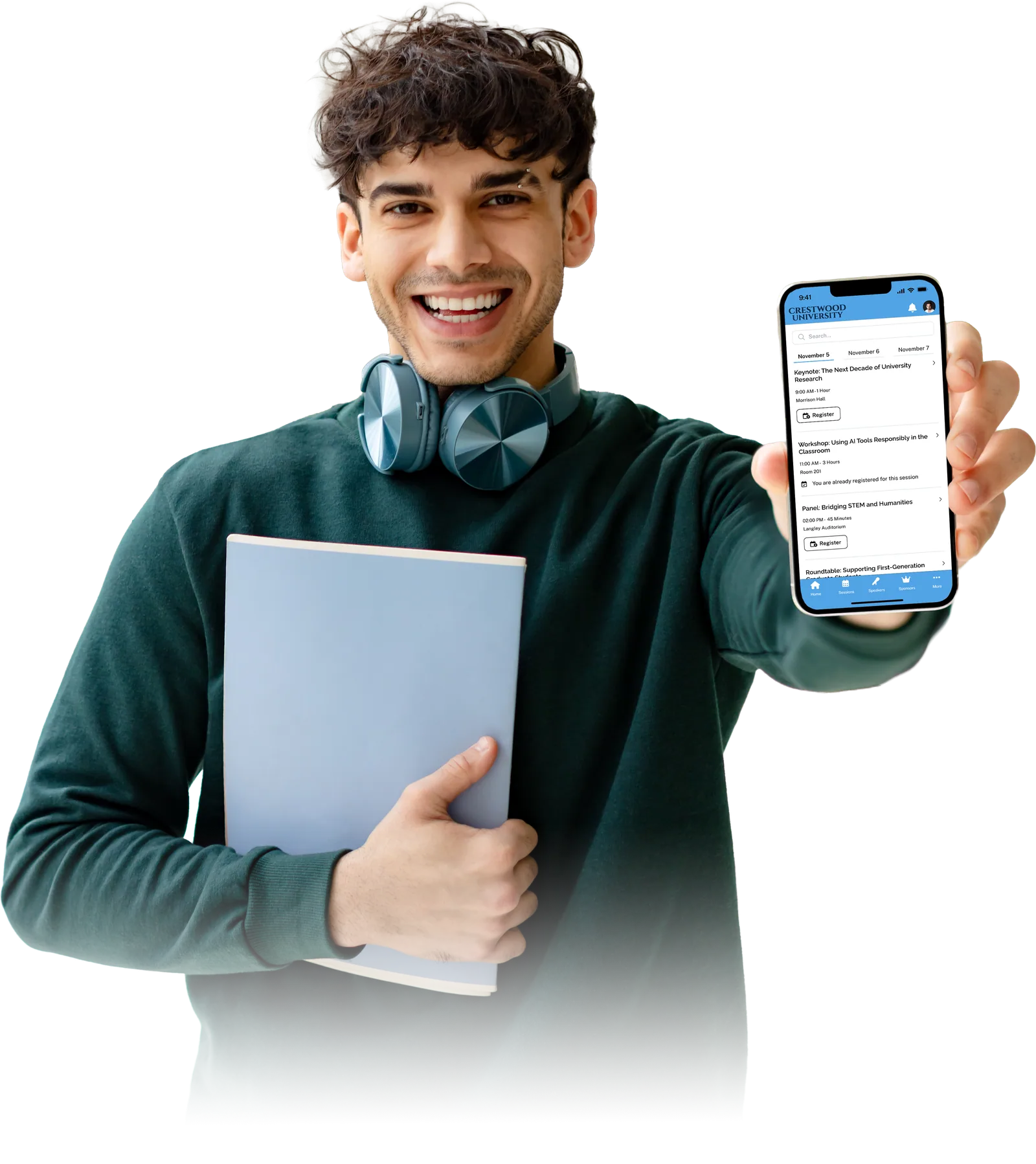
Large programs overwhelm people. The Event App gives each attendee the session list and personal agenda their ticket allows, with speaker profiles and session details a tap away.
- Put key sessions straight into the right attendees' schedules
- Speaker profiles and session details
- Show each ticket type only the sessions it can attend
- Filters on session lists, so people find the right session
Let attendees find and message each other
Attendees connect on their terms, and you decide what they can see. People opt in to a directory that shows only the profile fields you allow, then start a 1:1 chat from a profile when chat is on.
- Opt-in attendee directory that follows your profile-field visibility and search settings
- 1:1 chat between attendees, in the Event App and the attendee portal
- Open the directory and chat to all tickets or to selected ticket types
- Attendee profiles with the standard fields and custom answers you choose to show

Send updates, feature exhibitors, reward session check-ins
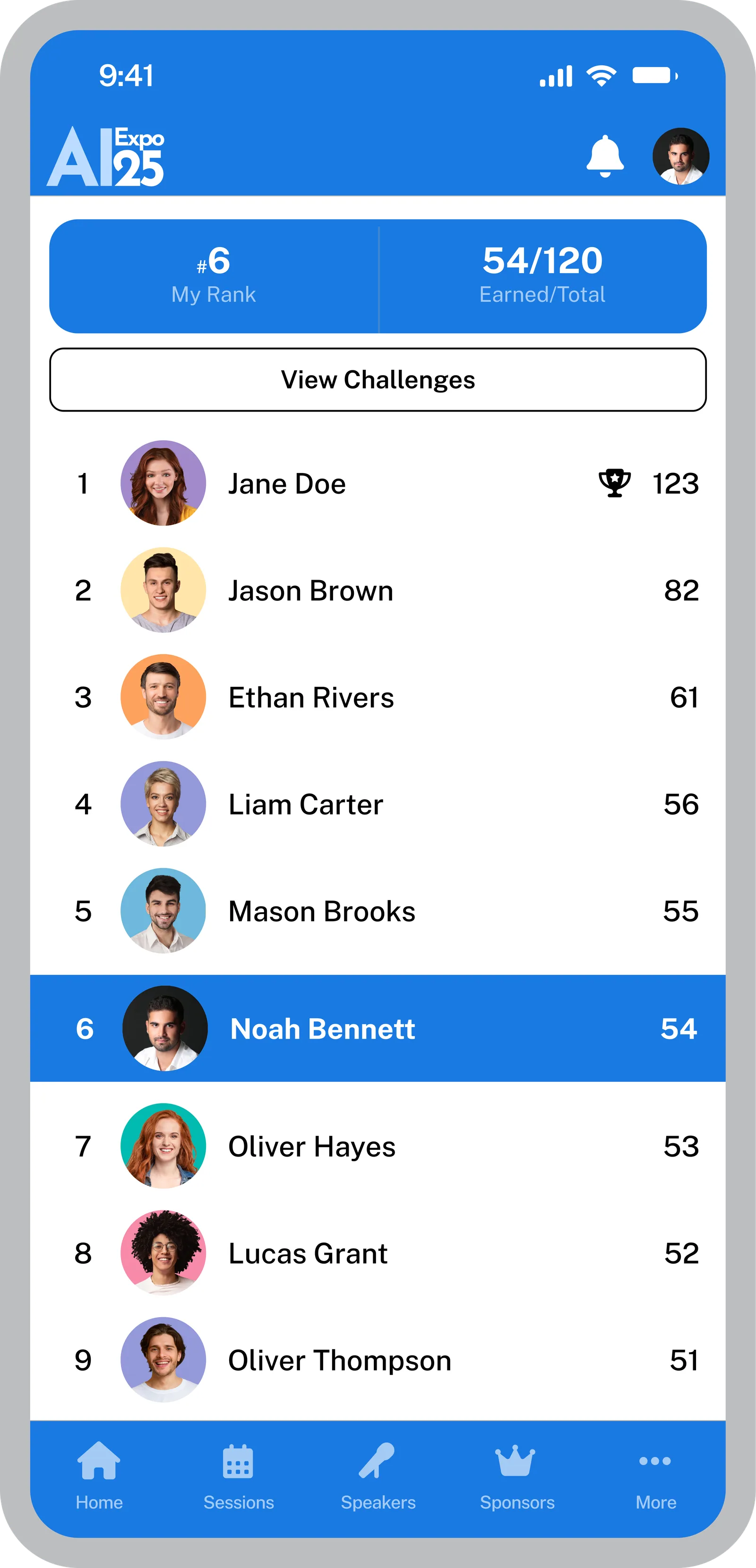
Room changes and last-minute news need to reach people quickly. Send or schedule push notifications by ticket type, give each exhibitor and sponsor a detail page, and award points that put attendees on a leaderboard.
- Send or schedule push notifications to everyone or to chosen ticket types, with merge fields for a personal touch
- Exhibitor, sponsor and product pages that attendees browse from the app
- Points for session check-in, capturing a lead and custom actions, shown on a leaderboard
- Social feed where attendees post, comment and react
Build it visually, release it when ready
No developer needed: compose pages in the visual builder, apply your brand, and release a version when it is right. Attendees open it in the Eventpack app on iOS or Android.
- Ready-made pages for agenda, speakers, exhibitors, networking, feed and leaderboard, so you start from structure, not a blank screen
- Blank and external-link pages for anything else the event needs
- Theme controls for colors, components, font, icon and logo
- AI in the builder proposes page and theme changes; nothing is applied until you accept (needs the AI add-on)
Around the app: portal, meetings, surveys and more
The attendee experience reaches beyond the app: these tools cover what attendees need before they arrive, between sessions and after the event.
Attendee portal
Give registered attendees a self-service home for their profile, sessions, ticket upgrade and networking, so fewer requests reach your team. They sign in with an email code, and you choose what each registration sees.
See the attendee portalWhite-label app
When your brand needs its own app, the white-label app is a separate setup: your organization's app container with brand assets and colors, optional App Store and Play Store links, and push delivery.
See the white-label appSurveys
Ask the people who were actually there. With the session add-on, session surveys can open as a session starts or ends, event surveys run on their own window, and answers stay with the event.
See surveysMeetings
With the Meeting Hub add-on, attendees book 1:1 meetings with each other or with exhibitors from the portal and the app, within the time windows and acceptance rules you set.
Meetings & NetworkingAttendee upgrades and add-ons
Sell more to people who already said yes. Where upgrades and extras are set up for your event, attendees can upgrade in the portal and buy items or packages there or in the Event App.
See attendee upgradesAttendee and speaker FAQ
Answer the questions before they reach your inbox. Write an attendee FAQ and a separate speaker FAQ in Eventpack and show them in the portal for the registrations you choose.
The app runs on your event records
The app and the portal use the same records as registration, check-in, sessions and exhibitors, so there is no second system to keep in step.
What buyers ask about the Event App
One app: attendees download the Eventpack app on iOS or Android and sign in with their registration email and a one-time code. Where your package includes a white-label app, they download your own branded app instead. The attendee portal works in any browser for profile and registration changes, the agenda and meeting booking.
With an email code. Attendees enter the email address they registered with, receive a one-time code and are in; there is no password to create or remember. Both the attendee portal and the Event App use email-code sign-in.
You update the session once in Eventpack, the same records the Event App's session and agenda pages are built on, so there is no second program to edit. To make sure people notice, send or schedule a push notification to the ticket types affected.
Yes. Attendees opt in to the networking directory and start 1:1 chats from a profile. You decide whether the directory and chat are on, which ticket types can use them, and which profile fields are visible or searchable. Attendees decide who to reach out to, from the people who opted in.
Points and a leaderboard. Points go to session check-ins, to capturing a lead and to custom actions, such as the built-in action for uploading a profile photo. It keeps the game simple: points for the actions you choose and a leaderboard in the app for attendees to climb.
You can send a notification now or schedule it, to all attendees or to selected ticket types, with merge fields. Tapping a notification opens the app. A web address typed into the message appears as plain text rather than a tappable link, and notifications are separate from Eventpack's email tools.
You arrange it rather than design it from scratch. Each page type, from agenda and speakers to exhibitors and leaderboard, comes ready, and on list pages you choose the fields, filters and empty state. Set your theme and release a version when it is ready; with the AI add-on, the builder chat proposes changes for you to accept or discard.
The Event App comes as its own add-on, independent of your plan: add it to your account, then switch it on for each event that uses it. Its pages draw on your other Eventpack tools: session, speaker and agenda pages need session management (ask us which plan includes it), exhibitor pages need the exhibitor tools (every plan), meetings need the Meeting Hub add-on, and the builder chat needs the AI add-on. The attendee portal comes with registration and does not need the Event App.
Walk through the app with your own event
Bring your agenda, exhibitor list and ticket types, and we will walk through the attendee journey from sign-in to the last session.