
Fewer handoffs. No all-or-nothing switch.
Registration in one tool, badges from a supplier, leads in a spreadsheet. Move the workflows that share attendee data into Eventpack, keep the systems that are staying, and connect the rest.
Trusted by event teams at
Decide workflow by workflow, not all at once
Pick a model for each workflow, or combine all three. Here is what runs in Eventpack in each model, and which part of the product does the work.
Replace: run it in Eventpack
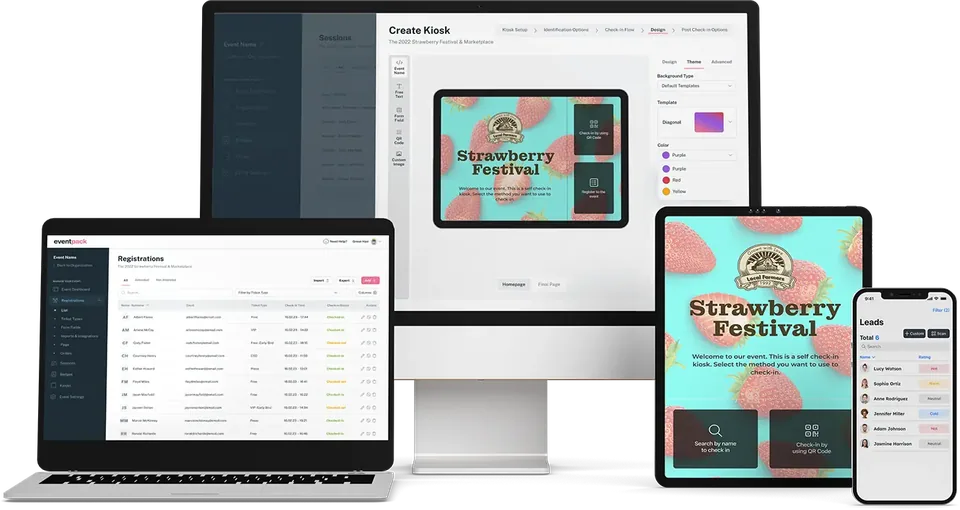
Run registration pages, kiosk check-in, badges, exhibitor lead capture and reports in one event instead of separate tools, with the Event App as an add-on. Existing lists come in by file import.
Coexist: keep Cvent or Swoogo
Registration stays where it is. Import its registrations, sessions and answers, then run check-in, badges, exhibitor lead capture and, with the add-ons, the Event App and meetings in Eventpack.
Extend: connect the systems around it
Send registrations to HubSpot or Salesforce, start Zapier automations on registrations, orders and check-ins, and give your own software and approved AI tools access through the Customer API and Eventpack MCP.
Retire the spreadsheet between your tools
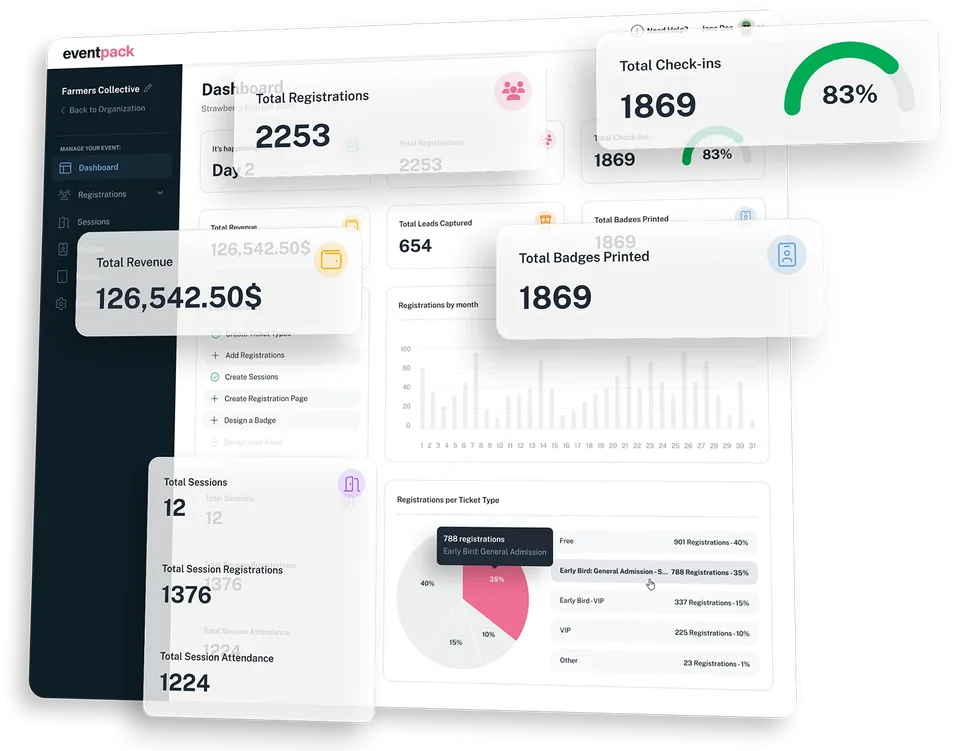
When registration, badges, the app and lead retrieval each keep a list, someone matches them by hand. In Eventpack, check-ins, badge prints, session attendance and booth scans all build on the same registration.
- One event dashboard with registrations, check-ins, revenue, leads captured and badges printed, plus a setup checklist for what is still to do
- Bring your lists with you: invitations, registrations and sessions import by file, and imported registrants can get a welcome email with their QR ticket (every plan; ask us which plan includes sessions)
- Walk-ups join the same guest list: register them at the kiosk on the tickets you allow, print their badge and check them in
- Reports from one source: build registration, order, check-in and session-attendance reports, then run them now or schedule them as CSV
No need to wait for your registration renewal
Keep Cvent or Swoogo for registration and import its registrations, sessions and answers into Eventpack. Then run the door and exhibitors on that list, plus the app and meetings with their add-ons.
- Cvent (added separately): registrations, sessions and fields import into Eventpack, so Cvent stays exactly as your team left it
- Swoogo (Enterprise plan): import registrations, sessions and answers, and run a full resync when the list changes; each resync also clears people and sessions removed in Swoogo
- Onsite on the imported list: kiosk check-in, badge printing, walk-up registration and, with session management, session doors that hold capacity
- Exhibitors, app and meetings: booth teams scan and grade leads, and attendees use the Event App and book 1:1 meetings (Event App and Meeting Hub add-ons)
Send event data where your teams already work
Registrations, check-ins and booth leads should not end the event as a CSV. Connect HubSpot, Salesforce and Zapier, or give your own software and approved AI tools controlled access.
- HubSpot (Enterprise plan): registrations move to and from contacts with your field mapping, and check-in adds attendees to a list, so marketing follows up with who came
- Salesforce (added separately): registrations become leads under your field mapping and create-or-update rules, and connected exhibitors' scanned leads can sync too, so sales follows up in Salesforce
- Zapier (ask us which plan includes it): start automations when someone registers, places an order or checks in, and create registrations from other tools
- Customer API and Eventpack MCP (each added separately): a key for your own software, and approved AI clients that read event data and prepare changes for a person to confirm

Sell tickets and sessions on your registration page
Connect Now
Sell tickets and sessions on your registration page.
Connect Now
Import your registrations, sync your data and much more.
Connect Now
Import your registrations, sync your data and much more.
Add Integration
Link Your Swoogo Account to Import Events
Connect Now
Connect your leads, automate your workflows and keep everything in sync.
Connect Now
Import your registrations, sync your data and much more.
Connect NowWhat takes over, what connects
Each page shows the workflow in detail, with what it needs on your plan.
Registration pages
Replace a separate registration tool with branded full pages or an embeddable widget, and every signup lands on the list that feeds check-in and badges. Ask us which plan includes registration pages; card checkout is Enterprise.
See registration pagesOnsite check-in and badges
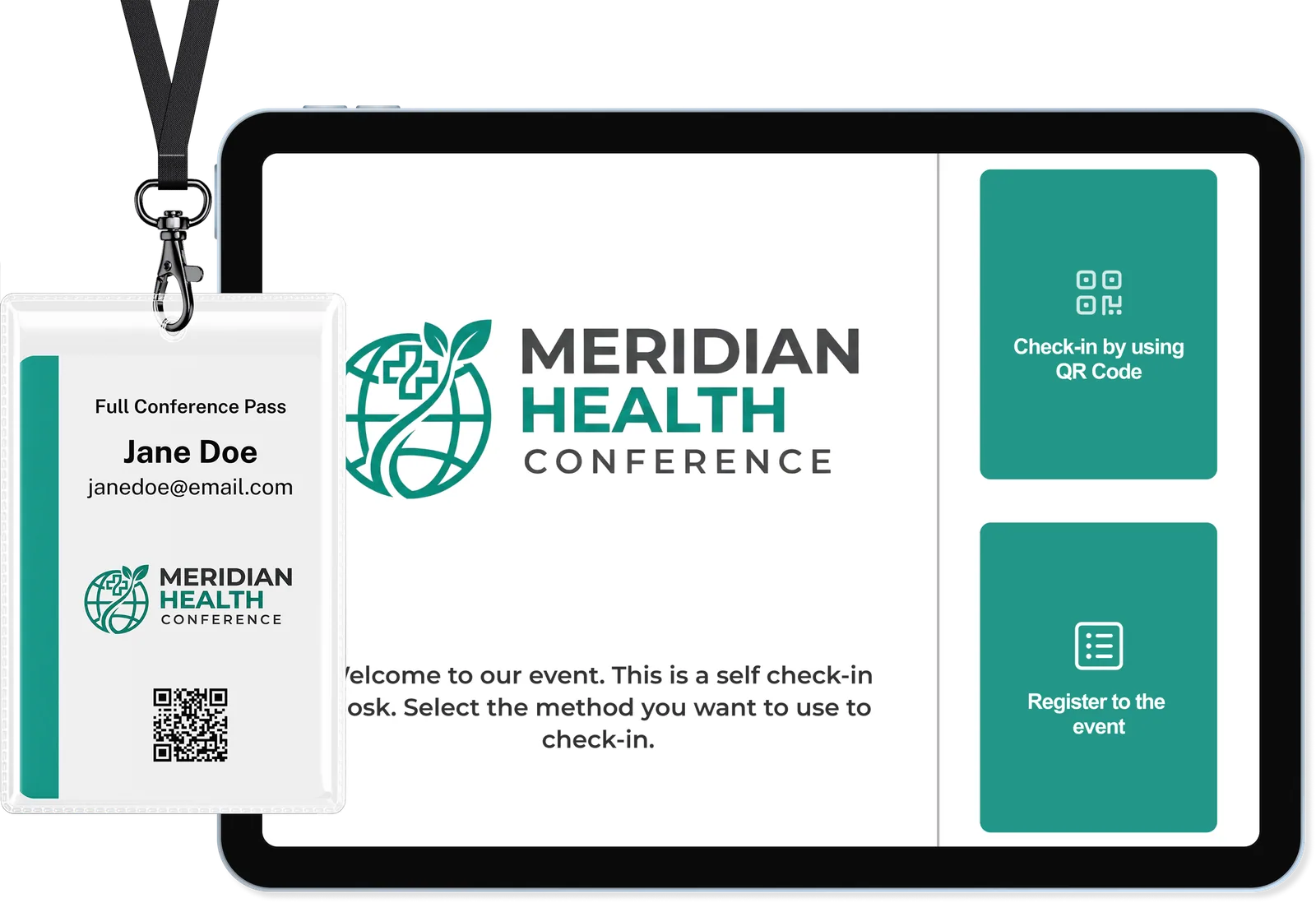
Run the door without a separate check-in tool: kiosks in your theme, badges printed on Zebra, Brother or Epson, walk-up registration and, with session management, session doors that hold capacity.
See onsite check-inExhibitors and lead capture
Give exhibitors a Partner Portal for tasks, team and profile, and a scanner app that grades each lead hot, warm, neutral or cold, in place of a separate lead retrieval tool.
See exhibitor managementUse Eventpack with Cvent or Swoogo
Keep your registration platform and bring its registrations, sessions and answers into Eventpack for the door, exhibitors and, with the Event App add-on, the app. Swoogo is on Enterprise; Cvent is added separately.
Keep your registration platformHubSpot and Salesforce
Registrations reach HubSpot as contacts or Salesforce as leads, mapped to the fields sales already uses, and check-in can add attendees to a HubSpot list. HubSpot is Enterprise; Salesforce is an add-on.
See the CRM connectionsReporting and integrations
Build registration, check-in and session-attendance reports once and schedule them, then see every connection Eventpack offers and which way its data moves.
See reporting and integrationsQuestions before you change your stack
Invitation lists, registrations and sessions load from a file, each in the format its import screen expects, and imported registrants can get a welcome email with their QR ticket. Cvent and Swoogo come in through their own import instead. Bring a sample file to the walkthrough and we will check it fits your import screens.
Registration stays on your platform, which remains the system of record for who signed up in advance. Eventpack holds the imported registrations and sessions plus what happens onsite: walk-up registrations, check-ins, badge prints, session attendance, exhibitor leads and, with Meeting Hub, booked meetings. Cvent is inbound only and the Swoogo connection is an import, so export the onsite record with the Report Builder.
Cvent is inbound only, with no write-back. Swoogo imports and resyncs, and each full resync also clears people and sessions removed in Swoogo. HubSpot moves registrations to and from contacts, and Salesforce receives registrations as leads. Zapier sends registration, order and check-in events out and can create registrations, and ExpoFP brings exhibitor records and their locations in, while the floor plan stays in ExpoFP.
In the default catalog, kiosks, badge printing, exhibitor tools and bulk import come with every plan; ask us which plan includes public registration pages, session management and Zapier. Card checkout, promo codes, Swoogo and HubSpot come with Enterprise, while Cvent, Salesforce, the Customer API, Eventpack MCP, the Event App and Meeting Hub are added separately. Your contract can differ, so we scope it with you.
They're not part of the software price, and you don't need to buy any. Run Eventpack on the tablets, phones and supported badge printers you already have, or we can help you rent them for your event. Badges print on Zebra, Brother or Epson printers or through a custom driver, with common label sizes built in, so check your printer model and labels before event day.
That depends on which workflows move, which systems stay and when your next event is. In the walkthrough we map the steps that apply to you, such as imports, brand assets, badge and printer tests, exhibitor setup and go-live, and who owns each one. We set the timeline with you there rather than quote one here.
Choose what moves before your next event
Bring your current tools, the contracts you are keeping and your next event date. We will walk through which workflows move into Eventpack, which systems stay, and what each choice needs on your plan.