
Control the guest list from invitation to badge
Executive briefings, customer summits and leadership days need a private audience and a well-run arrival. Eventpack runs invitations, approvals, check-in and badges together, so you know who was invited, who said yes and who walked in.

Trusted by event teams at
Who was invited, who came, what they attended
Each invitation links to the guest's registration, and check-ins, session attendance and badge prints sit on that same record. Nothing is re-keyed between the door and the report.
Before: invite and confirm
Import the invitee list, send invitations and reminders, and record every accept and decline. Limit tickets to approved email domains, and require approval on the free tickets you choose.
During: arrive and get in
Guests check in at a branded kiosk or with staff, print their badge and scan into their sessions. With the email add-on, your team gets an email when a named VIP arrives.
After: show who was there
Run check-in and session attendance reports now, emailed to teammates, or on a schedule, and push registrations to a supported CRM where that integration is connected.
Invite a private audience and see every response
A public link is the wrong tool for an executive dinner. Invite named guests with a unique link, send reminders, record declines and tie the invitation to the tickets you want them to book.
- Invitations tied to your registration page (ask us which plan includes it) and, if you choose, to specific tickets such as VIP or speaker
- RSVP for lighter events: a quick accept or decline on free tickets, with the decline reason recorded
- Bring in your invite list from a spreadsheet, send invitations, and follow up with reminders after the number of days you choose
- Email-domain allow lists on a ticket, so only your company's domain, or your customers' domains, can register

Your brand on pages, badges and kiosk screens
Guests should see your company first. Set the registration page's colors, font, logo and cover images, design the badge and kiosk screens, and give guests an Event App designed in your brand.
- A registration page in your colors, font and logo, with your own cover images for desktop and mobile and confirmation message (ask us which plan includes it)
- Event App theme with your colors, font, icon and logo, opened in the Eventpack app on iOS or Android (Event App add-on)
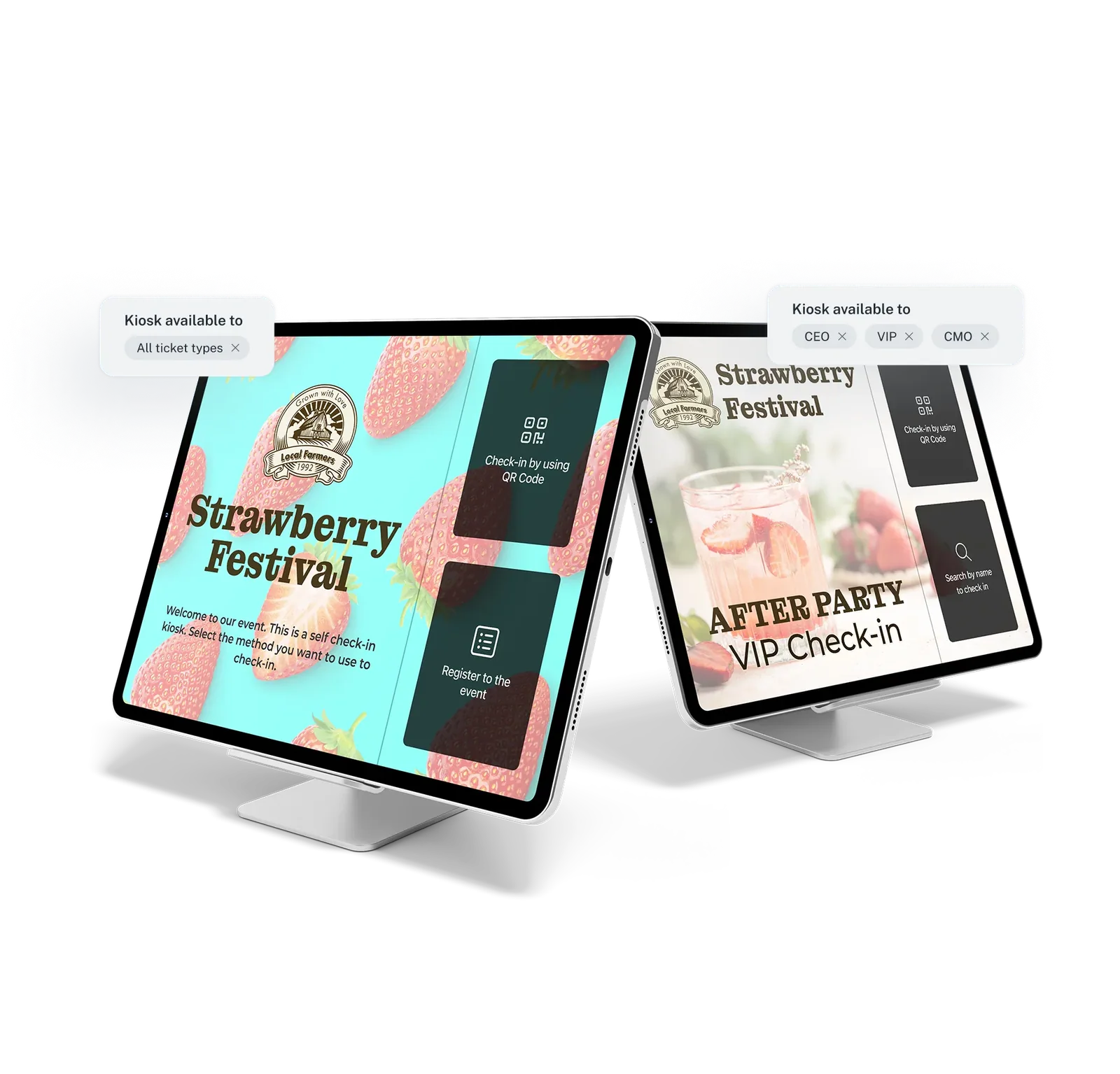
- Kiosk theme, home and finish screens, and a badge design for all tickets or a different one per ticket type
- The Remove Eventpack branding add-on hides Eventpack's mark on supported surfaces; legal terms at checkout stay
A professional arrival, and proof of who came
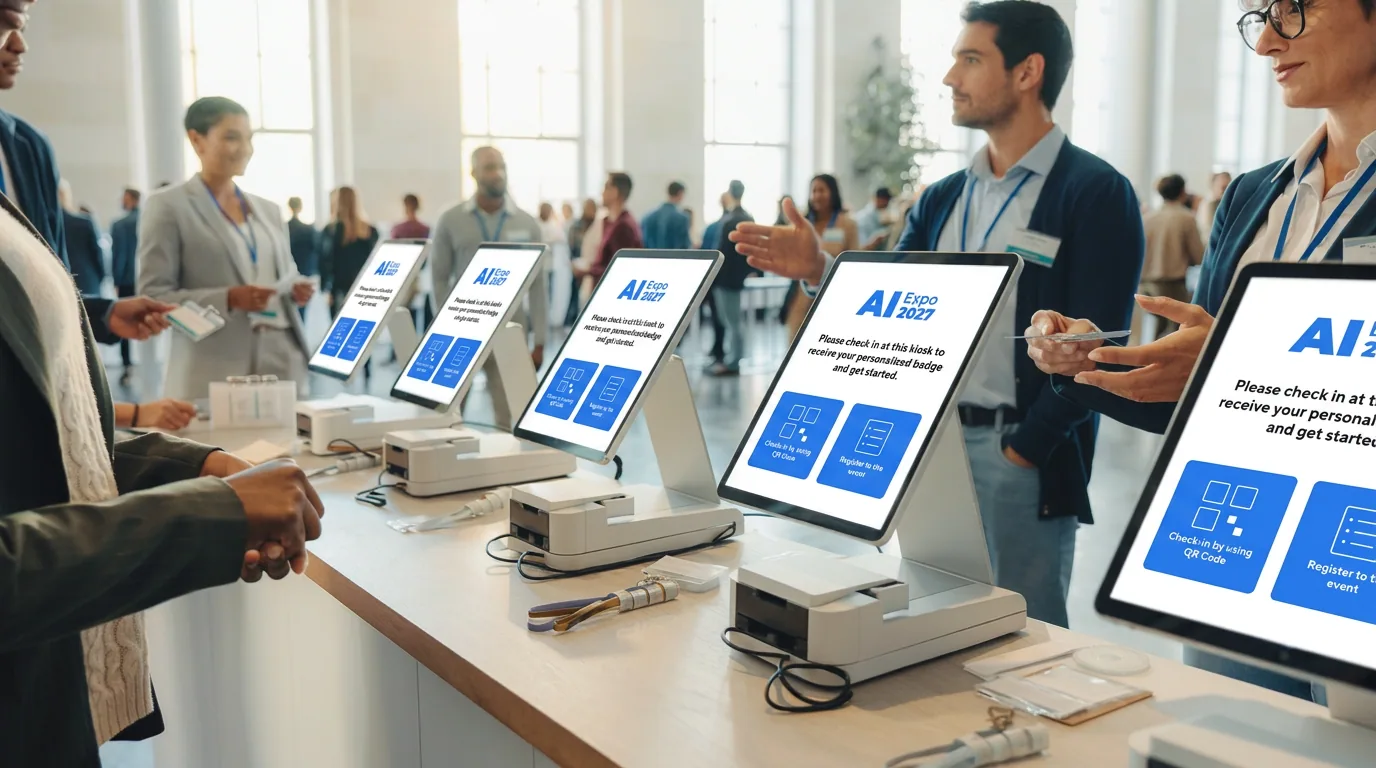
Executives notice queues and wrong badges. Check guests in at a self-service or staff kiosk, print the badge from their record, control session doors, and keep check-in history your team can export.
- Kiosk check-in by ticket code scan or name and email search, with badge preview and print on Zebra, Brother or Epson printers
- Walk-up registration on the tickets you allow, and edits to a guest's details before the badge prints
- Session doors with capacity enforced: turn away guests without a place, register them on the spot, or let staff add them
- Documents such as a confidentiality agreement or photo consent, signed at the kiosk and kept on the guest's registration
The controls behind a private, polished event
Each one works on the guests you invited, not in a separate tool. Availability depends on plan and add-ons.
VIP and speaker tickets
Give executives, speakers and guests their own ticket type, offered on the registration page or invitation you choose, with its own session limit and a badge color staff can spot at a glance.
See ticket typesApproval on free tickets
Hold free registrations for review, then approve, reject or move each applicant to the right ticket. Optional AI screening against your criteria needs the AI add-on, and a person always decides.
See ticket approvalGroup registration
Let an executive assistant register the whole leadership team in one order, across more than one ticket type. Needs public registration pages; ask us which plan includes them.
See group registrationSessions and personal agendas
Run breakouts and workshops with capacity limits, open each one only to the right tickets, and show every guest their own agenda. Ask us which plan includes session management; the agenda on phones needs the Event App add-on.
See sessions and agendaInvitations, reminders and confirmations
Send invitations, reminders and confirmations in your own templates, and see which ones failed or bounced so you can follow up. Ask us which plan includes custom email sending.
See event communicationsAttendance evidence
Give stakeholders a record of who came and which sessions they attended: build check-in and attendance reports with the columns you need, and schedule them for after the event.
See the Report BuilderTeam roles
Invite colleagues into the account with their own role, from Owner and Admin to Staff and Report user, instead of sharing one login. Default seats vary by plan.
See team and account administrationCarry data into your CRM
Send registrations to a supported CRM and, where lists are supported, add guests to a list when they check in, so sales follows up with the people who came. Enterprise plan or an add-on.
See CRM connectionsBefore your first invitation goes out
Yes. Each invitee gets a unique code and link, and the invitation can be tied to the tickets you want them to book, such as VIP or speaker. Public tickets can sit on a separate registration page with its own web address; ask us which plan includes registration pages. You see who was invited, who responded and who declined, with the reason they gave.
Yes. Each ticket type has email rules: an allow list or block list of domains, and an option to block free email providers. Put the internal ticket behind your company domain and leave a partner ticket open to the domains you list. You can also require a one-time email passcode before signup on the registration page.
On free tickets, yes. Mark the ticket as requiring approval, choose which profile fields and questions appear on the application, and review the queue: approve, reject, leave a message or move the person to a different ticket type. AI screening against your own criteria is optional, needs the AI add-on, and a person always makes the final decision. For paid tickets, control who buys with email-domain rules or invitations tied to specific tickets.
Guests download the Eventpack app on iOS or Android, or your own branded app where your package includes it, and sign in with their registration email and a one-time code. It can show the agenda, sessions, speakers and sponsors you set up, plus networking and the social feed if you turn them on. It needs the Event App add-on; a white-label app in the app stores is a separate setup.
Yes, with the email add-on. Pick one guest or a ticket type such as VIP, and when they check in at the event, a session or both, the colleagues you choose get an email with your message. Check-outs and repeat alerts can be included.
The Report Builder covers registrations, event check-ins, session check-ins and session attendance, with the columns, filters and sort you choose. Run a report now, emailed to teammates, or schedule it daily, weekly, monthly, during or after the event. Output is CSV or zip, and bulk export depends on the export add-on.
Eventpack connects in three ways: registrations flow to a supported CRM with field mapping, a no-code automation connection triggers your own workflows on registration and check-in, and the Customer API gives your developers supported event records such as registrations, sessions, tickets, orders and invitations. Organizers sign in with email and password, and guests with an email code. CRM connections are on Enterprise or added separately, the Customer API is a separate add-on, and we will confirm which plan includes automations.
See your invitation-to-badge flow in Eventpack
Bring your guest list rules, ticket categories and arrival plan. We will walk through them in Eventpack and say plainly what is included and what is an add-on.